Professional Business Wi-Fi Solutions: Fix Slow Internet for Good
Is slow business internet performance hurting your team’s productivity in Johor Bahru? From office dead zones to network congestion, Inspur Tech provides high-performance network optimization to keep your Malaysia-based business running at full speed.
5 Common Causes and Fixes
1.Too Many Connected Devices
Many devices connect at the same time:Laptops, phones, tablets, printers, CCTV, POS systems, etc.
When too many devices share the same Wi-Fi, the speed drops for everyone.
Fix:
Disconnect devices you are not using.
Create separate networks for staff and guests.
Upgrade your plan if you have many users.
2.Poor Router Placement
Wi-Fi signals get weaker when the router is placed in a corner, hidden in a cabinet, behind walls, or too far from users.
Thick walls, metal, and glass reduce signal strength.
Fix:
Place the router in an open, central location
Keep it away from thick walls.
Use Wi-Fi extenders for large offices.
3. Outdated or Low-Quality Equipment
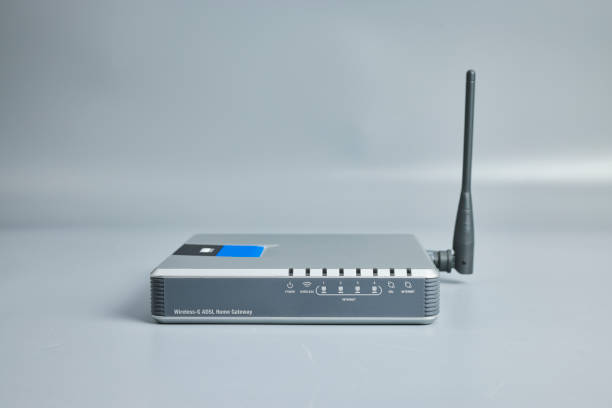
Old routers or cheap routers cannot handle heavy business usage. They slow down when multiple devices connect or when handling high-speed plans.
Fix:
Upgrade to a modern router (Wi-Fi 5/6/6E)
Use business-grade access points if your office has many users
Restart your router regularly to clear overload
4.Signal Interference
Wi-Fi can be disrupted by:
Other nearby Wi-Fi networks (shops, offices)
Bluetooth devices
Microwaves
Wireless cameras
Thick walls and metal furniture
These can weaken or break the signal.
Fix:
Switch to a less crowded Wi-Fi channel
Use the 5GHz or 6GHz band for cleaner signal
Keep other electronic devices away from the router if possible
5. Internet Plan Not Enough for Your Business
Your internet package may not have enough speed for your business tasks like cloud systems, video calls, large downloads, or multiple staff working at once.
Fix:
Check your current plan’s speed
Upgrade to a plan with more bandwidth
Consider using wired (LAN) connections for important devices like PCs or POS
FAQ
Most frequent questions and answers
The basic Wi-Fi speed depends on the Wi-Fi standard your router uses:
Wi-Fi 4 (802.11n): up to ~150–300 Mbps
Wi-Fi 5 (802.11ac): up to ~1,300 Mbps (1.3 Gbps)
Wi-Fi 6 (802.11ax): up to ~9,600 Mbps (9.6 Gbps)
Keep in mind these are theoretical maximum speeds. Actual speed depends on factors like distance, obstacles, interference, and the number of devices connected.
If your router is more than 3–5 years old, drops connection often, or can’t handle many devices, it may be outdated. Newer routers support faster speeds and stronger Wi-Fi performance.
It depends on the router. Home routers usually handle 10–20 devices, while business-grade routers or access points can support dozens. Connecting too many devices to a single router can slow down the network.
Generally, yes. A wired connection is more stable and usually faster because it isn’t affected by interference or distance like Wi-Fi. For important devices, using Ethernet can improve performance.